Customer Acquisition using Agent-based Modeling
agent-based modeling, abm, agents, events, scenarios, bptk, bptk-py, python, business simulation
Customer Acquisition using Agent-based Modeling
The basic concept behind Agent-based models is quite simple: you populate an environment (the model) with a set of agents. Agents and the environment each have a set of properties and each agent must always be in a defined state.
Agents can perform actions and interact amongst each other and with the environment by sending each other events - the agents react to these events by updating their properties and/or changing their state.
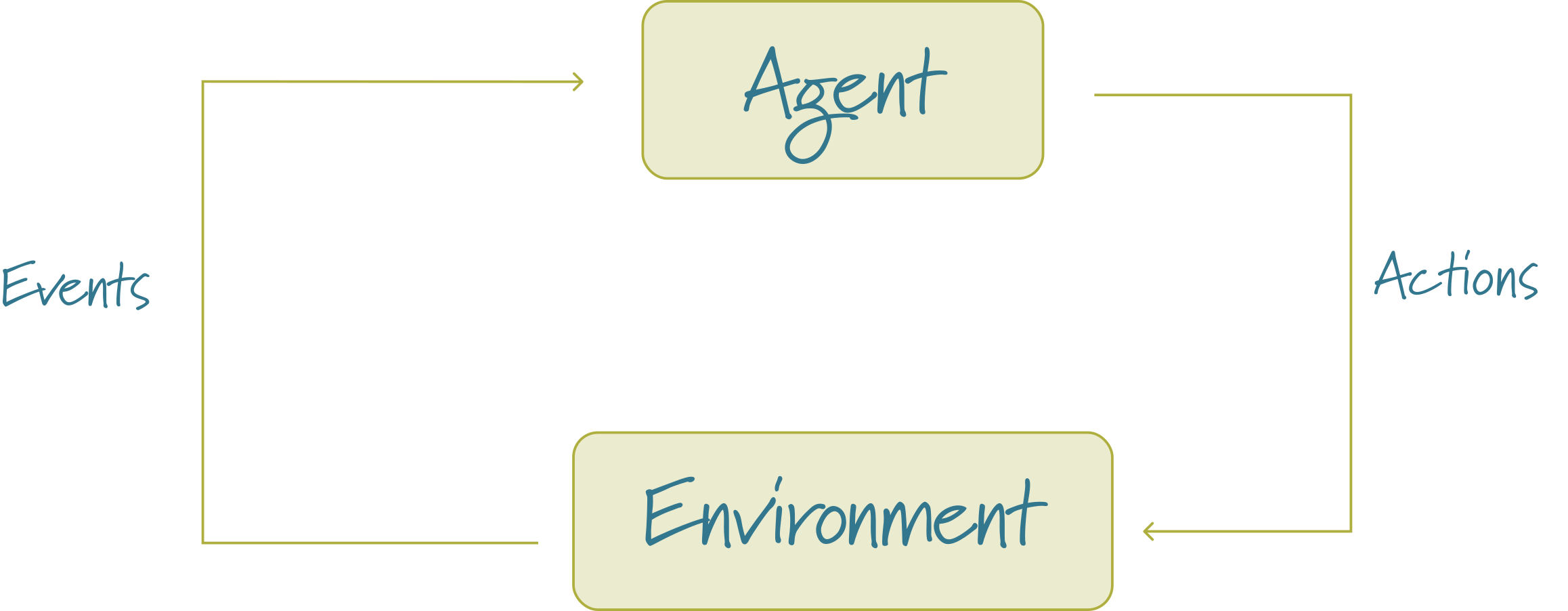
So to create an agent using Python and the BPTK framework, all you really need to do is:
- Identify the relevant agents
- Define the agents properties
- For each agent, implement an initializer which sets the agents initial state
- Define handlers for each kind of event you want your agent to react to
- Define an action method, which describes what the agent does in each time-step, e.g. perform internal tasks and send events to other agents
Defining the model is even easier:
- Define the environment properties and update them when necessary
- Tell the model which kinds of agents there are
- Then, to configure the simulation, all we need to do is to set the initial values of the properties and instantiate the initial agents. Each unique configuration of a model is referred to as a scenario. The BPTK framework helps you to manage different scenarios and compare results easily.
Configuring Agent-based models is best done using a config file defined in JSON.
Agent-based modeling is a very powerful approach and you can build models using ABM that you cannot build using SD. This power comes at a prices though: because each agent is modelled as an individual entity, agent-based models are quite slow.
Setting Up the Model
For the customer acquisition model, we really just need to agents: the company that sends advertising events and the consumers that receive those events. If a consumer becomes a customer, then the consumers starts sending word ouf mouth events.
This is illustrated in the following diagram:
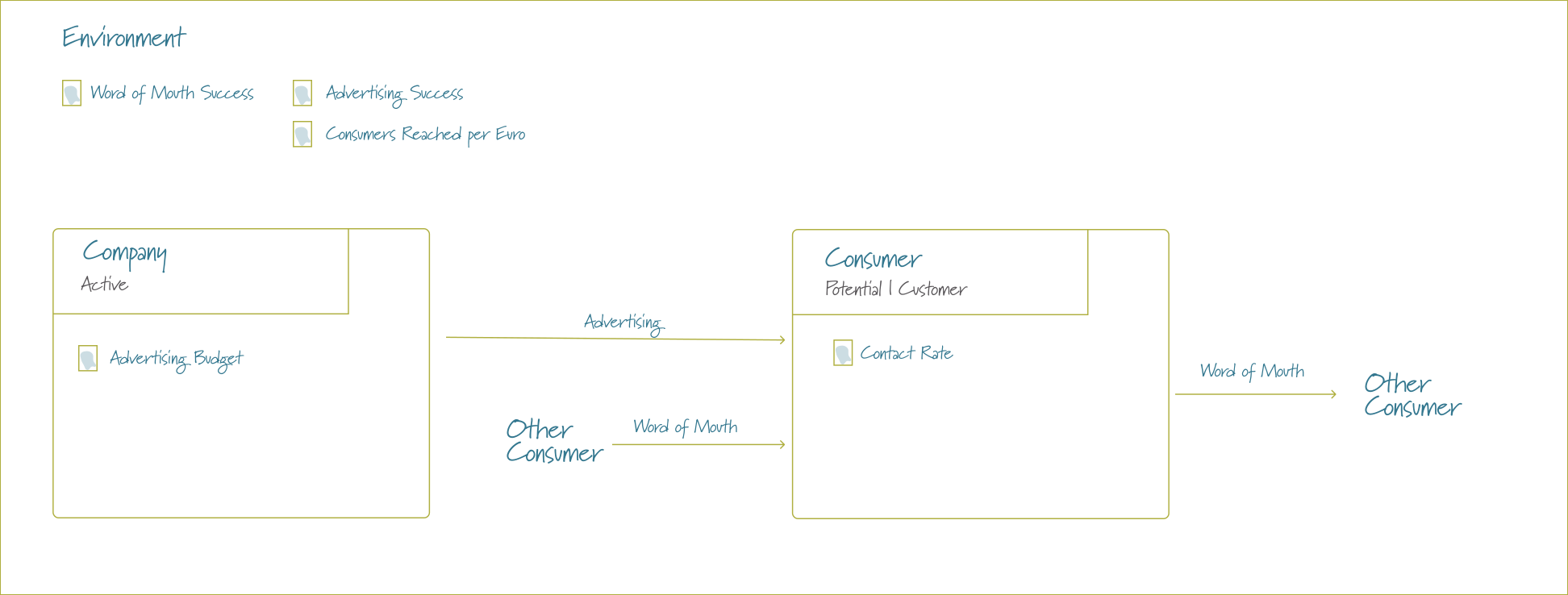
Note that the advertising budget and the contact rate are properties of the respective agents – this is a glimpse at the power of agent-based modeling, because we could easily set individual contact rates for the consumers or have multiple companies advertising competing products. All these aspects cannot easily be modelled using System Dynamics.
Setting up agents is actually quite simple - all you need to do is register handlers for the events and define the act method.
Note that the company agent defined below accesses the properties advertising_budgetand consumers_reacher_per _euro. These properties are defined in the scenarios and can then be accessed “magically” as either agent properties or model properties.
The model itself needs a way of instantiating agents - for this you register agent factories, which return an agent of a particular type. In their simplest form an agent factory is just a lambda function.
NOTE: Running an agent-based model takes noticeably longer than running a System Dynamics model, because every agent acts in every step. The population here is deliberately small, so that the model runs in your browser as well.
Setting Up Scenarios
The scenario mechanism works exactly the same for SD DSL, agent-based and hybrid models, so you can load different kinds of model side by side and compare their results.
NOTE: especially for larger models it is much better to keep the model and the scenario definitions in separate files.